Friday, July 27, 2012

Safari 6 - Appearance Pane Gone, No Customizing Fonts?

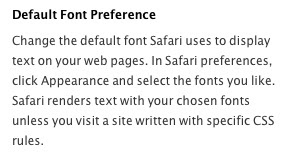
Not sure if this is a gross oversight by Apple's WebKit team, or an intentional thing, but there's no way to customize fonts in Safari 6 unless you want to use a CSS stylesheet. You'll see from the screen grab below that there is no "Appearance" tab in which you used to be able to set fonts, sizes, etc.


Here's an Apple Discussion post on the topic: 

You'll note that as one of the responders points out, Apple still lists it as a feature on the Safari page, bottom right:


For a lot of folks, being able to set the font to a readable size and style, this is a bad move. Raise your hands if you know how to write a CSS stylesheet to set your font preferences.

I don't know about you, but my eyes are aging. I always took advantage of customizing things via the Appearance pane to make things easier to read.

Yes, zooming the page is there. Even zooming only the text on a page. But that's not the same thing as being able to set a serif font style/size, and a sans-serif style/size.

Let's hope Apple adds it back to Safari.

Monday, April 16, 2012

"Internet Slaves, Meet Your Masters" [Infographic]

What do Google, Facebook, Zynga have in common? They are today's "online masters" according to a new infographic from onlinemastersdegree.com sent in to MacSurfer. Online Masters
Created by: OnlineMastersDegree.com

Friday, March 02, 2012

Dear Safari Team....

Safari used to be a great browser for my work at MacSurfer.

Once upon a time I was able to have a page open, hop up to my bookmark bar, click on a folder, run the mouse over to the contents of that folder, hold down the Apple/Splat key and click "Open In Tabs" and those bookmarks would open in new tabs WITHOUT REPLACING the existing tab(s) I had open.

In fact, I can't remember when that stopped working now it's been so long.

There was an add-on, Saft, that kind of enabled that. Every time I'd open new tabs, every single tab would reload. A pain, but it worked.

Question Safari team: WHY did you remove that feature? Can you PLEASE give it back? I've looked high and wide for an extension (if anyone knows of one, let me know in the comments), or anyway to get that functionality back.

But it doesn't exist...that I know of.

Why not? Chrome does this, Firefox does this. Without extensions. It's just part of the browsing experience.

I'd also like the ability to freeze tabs, change the size of tabs (like Tab Mix + in Firefox, or built-in "Pin Tab" in Chrome).

Even if you don't give me that, how about letting me open tabs w/o replacing existing tabs?

Or maybe you've given up on Safari as a power-browser, leaving that up to Chrome and Firefox?

But then there's Firefox. I've not ranted on Mozilla's flagship for a long time now because they just won't give it proper AppleScript support for some bizarre reason that completely escapes the realm of sensibility.

Guess Google is the savior here. Awesome AppleScript support, great extensions. (Not bringing up Camino here. Good browser, but not keeping up with everything like Chrome).

Rant over. For now.

Friday, February 03, 2012

Apple Store Coming to Adelaide, S. Australia

A longtime MacSurfer reader from Adelaide, South Australia, sent in the following tidbit to MacSurfer on Thursday:

"Apple Australia is considering opening their first UberStore in the state. Redevelopment of a large site in Rundle Mall, the prime retail area of Adelaide's CBD, means that a suitable location has opened up for an Apple Store. Overheard two days ago was a conversation between a major property identity, and a third party on the other end of the Iphone, with the pertinent question being, "have you arranged that meeting yet with Apple about the Harris Scarfe development?"

Details of progress of the redeveloped site were included with schematics in this article from August 2011 in the local daily newspaper, The Advertiser."

http://www.adelaidenow.com.au/news/south-australia/new-image-of-rundle-place-385-million-development-of-old-harris-scarfe-site/story-e6frea83-1226120252527"

Congrats to Apple fans in Adelaide, should this info bear ... fruit.

Tuesday, April 28, 2009

Firefox 3.5 Beta and AppleScript - Still Broken

I have been holding out hope that Mozilla would, by now, have gotten its act together in fixing AppleScript for Firefox 3.0.x, and now up thru 3.5b.

Unfortunately not the case.

Things are a little different with the nightly builds; however, but still not up to snuff.

The newest 3.5 beta release falls prey to the already documented (here, here, and here) AppleScript bugs introduced with 3.0. The latest nightly builds by and large fix those issues, but introduce a new one, and a particularly glaring omission, at that.

Where before I documented that the properties of a particular window neglected to include the title of said window, in 3.6a pre1, they do.

But where 3.6a pre1 fails is in completely losing the ability to get the URL of the current page. It no longer exists in the properties as the class curl or as "URL". That property has simply ceased to exist.

For reference, this AppleScript is to get the properties of the current, front window in Firefox 3.5:

tell application "Firefox"
get properties of window 1
end tell

And from that I get this result:

{«class pObT»:window, «class pTit»:"Google News", «class curl»:"http://news.google.com/", index:1, bounds:{0, 0, 1440, 900}, «class pLcn»:{0, 0}, closeable:false, titled:false, modal:false, resizable:false, zoomable:false, zoomed:false, «class pNMo»:true, «class pMMo»:false, floating:false, visible:false}

You can see that «class pTit» is now filled properly. But add "activate" to that script and it will fail as it has in previous testing.

Enter Minefield (3.6a1pre) with this AppleScript:

tell application "Minefield"
get properties of window 1
end tell

The results are telling:

{zoomed:false, closeable:true, resizable:true, miniaturized:false, document:missing value, bounds:{440, 22, 1440, 790}, titled:true, floating:false, miniaturizable:true, zoomable:true, modal:false, class:window, name:"Minefield Start Page", id:2071, index:1, visible:true}

A little more cocoa goodness here with class names, etc. in place of «class pTit» is "name" and it is filled appropriately. But gone is «class curl», or "URL" entirely. No mention, thus no way to grab it properly with AppleScript - at least no way that I know of.

Beside that glaring omission, AppleScript no longer errors out as it did under previous versions (not including 2.x). There is promise... and disappointment all in one. Cheers for fixing the breakage, boos for dropping URL support.

So there's obviously a lot of work yet to be done. And for those of us who rely on AppleScript for our jobs, and who wish to use Firefox, we're out of luck. I have been able to work around some of these shortcomings, but with the newest update, all the add-ons have broken (not to mention that it is an ugly, inelegant way to get what I want, and it doesn't work all the time as AppleScript would).

So I'm pretty much left to Safari and Camino here, even though neither is 100% satisfactory. Yes, I've sung the praises of both browsers, and I'm using Safari 4 beta right now which I do like. Problem being that Safari 4 is a memory hog on my aging PowerPC, and Camino tends to leak as well. I have found Firefox tends to be the least leaky of all. Your mileage may vary.

Tuesday, December 09, 2008

Firefox 3.1b2 - AppleScript *STILL* Broken

I've been messing around with the different alphas and betas of Firefox, including FF3.1b2 released yesterday.

Sorry to announce that Mozilla still has not fixed it. If you have no idea what I'm talking about, please refer to my previous posts where I detailed the problems here and here.

This extends all the way to the Minefield nightly builds, and Shiretoko builds as well.

Mozilla - PLEASE - fix AppleScript support.  I realize AppleScript has never been a priority, but hey, it works in 2.x but it was broken (regression) in 3.x and it messes with workflows and other apps as well.

In the mean time, Safari has been working well; however, it has begun choking on sites like reuters.com while something loads in the background. Takes about 40-50 seconds.

Monday, July 21, 2008

From MobileMe to Google Apps: A Progress Report

It is disappointing, the hassles facing MobileMe users, and I'm sure the team(s) within Apple are pulling their collective hair out trying to find resolution. And I'm sure Steve and the management team are not a little bit irked that this persists in the face of today's earnings report. There will be some shareholder angst to be sure.

On a smaller scale, back in my days as an IT Manager, I recall well the departmental shift into crisis mode when services went dark. But one thing was for certain, customer service became the critical priority externally, while service restoration becames the #1 internal priority. It seems that Apple is having a tough time with this.

As for my own MobileMe experiences, blogged about here and here, I decided to transition to Google for email and calendaring. Jury is out on whether or not I'll use Google's online office. The interface is yet quirky, although it is certainly functional.

If Apple were to put iWork online, that'd be pretty swell, if not an extremely daunting task (for Apple's engineers).

I pay daily visits to MobileMe with hopes things have improved only to find they haven't. I won't rehash all the reasons for me switching, suffice it to say, Gmail and Google Calendar (Gcal) are excellent apps, in particular the sharing functionality of Gcal. Picasa Web Albums is also excellent. It differs primarily from MMe's Photo Gallery in looks, which are pretty slick appearance-wise, I'll chalk that up to MMe's favor; however, looks are not everything.

From Mail/MobileMe to Gmail: Gmail wins me over for superior online options, customizations, tagging, calendaring integration. The usual suspects creep up with any address change: getting people to change to the new one. It hasn't been too bad thus far, but could be better.

Transition has been smooth, and the thought of losing our .Mac addresses is less troublesome with each passing day. I suppose you could say that the breakup is not as bad as I thought it'd be.

From iCal/MobileMe to Google Calendar: Couple things here. iCal/MobileMe is a local/online solution. Locally, iCal beats Gcal because it has ToDo's, and it is local. With Google Gears on the horizon for Gmail and Calendar, and the excellent plug-in architecture for ToDo's in Google services, it will be come local for 1-3 months in advance...

Still, for online Calendaring, MobileMe calendar is a long way from competing with Gcal. Sorry, but it just is. So Google Calendar wins here rather easily. The transition has been smooth since that is what actually started this whole thing back when MMe was announced.

Do I mind that it isn't local? Meh, maybe sometimes. I haven't yet had an outage during which I needed my calendar info. Yet.

From MobileMe Photo Gallery to Picasa Web Albums: Here again we have the interface being the main difference between these two. Google has gone to great strides integrating PWA into iPhoto; however, it is still a few extra steps and less elegant. Just like you're able to change the "Mail" icon in iPhoto, I'd like to have a PWA icon to upload to that service instead of Exporting to the service.

And the online experience goes in favor of MMe Photo Gallery simply because it looks better. But functionally they are on pretty much the same playing field. Where PWA pulls ahead is in sharing of albums - public or unlisted, and in ability to purchase from the web page. No option in MMe Photo Gallery.

Thus the photo situation has not been a difficult transition. But I will say that I liked .Mac's video viewing back in the day when I used it. That was cool. Haven't tested that in PWA, so don't know how/if it performs.

From AddressBook to Google Contacts: This one has not been as easy. Google Contacts seems like more of an afterthought than a great service/feature. It does most of what I need it to do, but for some reason the interface bothers me. It is not as clean and easy as AddressBook. And MMe's online AddressBook is quite nice, although again, there's more that you can do - online - on the Google side of the fence here.

From iDisk to Google (?)
: Um, no. There is no from iDisk to Google because Google falls down here. Yes there are hacks that allow you to use your Gmail space as storage space, but I don't like that solution at all. If Google were to offer an iDisk-like alternative, that'd be great. They don't, so it ain't.

This is the one area that is stckiest. Bottom line for me is that iDisk alone is not worth $99/yr. if I'm not using the rest of the service. For you it might be. I'd rather go to Costco and pick up the under $200 750GB Western Digital external drive. That's 2 years of iDisk with vastly more storage space. Granted, it isn't in the cloud, but it's more practical in this case. There are free online storage systems, I'm subscribed to Box.net which I like, but it has less space. Did I mention it is free?

Conclusion: The transition from MMe to Google has been going very well, the only areas that fall a bit short are with AddressBook and iDisk although there are solutions both free and shareware.

Any of you switching from MobileMe to Google?

Wednesday, July 16, 2008

MobleMe Continues to Disappoint

As I mentioned in my last post, I've been an iTools/.Mac/MobileMe user since it was a free service. It has taken me, I guess, 8 years to come to the conclusion that it no longer meets my needs, therefore, it no longer justifies $110/yr.

Some of you reading this will undoubtedly disagree finding MobileMe meets your needs and then some. That is great and I'm glad it works for you. For me the cost is a too high considering the free services out there. But I totally understand the ad-free MobileMe service, I really do. If it were free, of course I'd keep it, but I'd still be critiquing the offerings in light of my needs all the while gazing over at the Google side of the fence.

So I write this a bit surprised at myself. It is almost like an awakening from a strange RDF-induced dream I've been in for so long. Gosh it feels weird to write that.

The conclusion I've arrived at (as of today - gotta leave myself a way out in case the RDF returns) is that the service Apple provides is not really geared toward users like me any more. As I read over the weekend (can't recall where), MobileMe is geared for (best taken advantage of by) the iPhone generation more than the non-iPhone set.

Not that we non-iPhoners can't use it, don't get me wrong. But for me it boils down to functionality, customization, and flexibility. I want it to be more like Google Apps, which I suppose is why I'm moving that direction.

I've mostly loved Apple's no nonsense, K.I.S.S. approach to hardware and software as opposed to Microsoft/et al's "how much useless stuff can we fill this PC with" approach. And for so long I've lumped Google into that latter category - until now.

When people extol Google's Gmail, Calendar, etc., I used to yawn and turn away (except for Picasa - hurry on that OS X version guys). No more. It is really weird - having been a Mail user since the beginning, even bringing Gmail down via POP access - how much Gmail's online methodology has grown on me. It has become more intuitive, even addicting.

Over the weekend, and today, I put MobileMe thru the paces, you know, giving it a chance. And yeah, I did say Apple may work out kinks in the coming weeks so I'd give it more time (and I will as I've got 90 days left before renewal). But even as MobileMe has sped up a bit, I still find it *way* to slow. And I find the lack of customization leaving me indifferent to the service as a whole. MobileMe Calendar, IMHO, is a complete waste of time. Just doesn't work for me or my workflow.

IMHO, MobileMe is polished on the outside, but lacking in "meatiness" on the inside. As Clara Peller said, "Where's the beef?" This is one instance where I wish Apple put a lot more stuff into a product beside looks.

As mentioned in the first paragraph, I do not plan to renew our membership with MobileMe. My wife and I already use Google Calendar, and have all our .Mac/MobileMe mail filtering through our Gmail addresses. A long relationship, custom .Mac/me.com email addresses - all things I've loved about Apple's iTools and .Mac, seem to no longer hold sway over me. And it feels weirdly liberating.

Saturday, July 12, 2008

iCal & MobileMe or Google Calendar?

Caveat: as for a lot of computing, preferences are entirely subjective. These are my opinions based on how I use iCal, Google Calendar. Your MO may be quite different from mine. That's okee-day. I happen to know there's a lot of folks pondering whether to keep paying the fee for MobileMe, or jump ship to free resources. Perhaps we can help each other out with some sage advice.
------
I've had great expectations for MobileMe since Jobs announced/demo'd it at WWDC. On the other hand, I was on the edge of diving into Google Apps more (Calendar) for family scheduling purposes since iCal was not filling the need adequately.

Needless to say, I was quite excited about MobileMe, thinking my $110/year (extra email) would now be more justifiable.

I'm one of those folks who has been with it since it was iTools. Every year a new iLife was announced with .Mac integration I got excited - but rarely ever use the additional features. Pretty much just email. So with the whole "push" thing, it seemed like it just might get there.

Since MobileMe was a ways out, I decided to give Google Calendar a whirl (not just toying with it as I've done for a year now). See, my family is down to two computers. My aging 17" PowerBook, and a "new", cheap P4 for family stuff. Though my work life is all about Apple, I'm one of those who just can't afford to lay out the $$ for a family iMac (not interested in mini's).

I've never been a "cloud computing" fan, always liked local desktop apps. Still do, but I'm getting used to the Google cloud now, and actually enjoying it.

See, the best thing about Google Calendar is that my wife and I, from each of our Google accounts, can edit and save all the calendars we share (we set them up that way). Can't do that in iCal. The other thing, prior to MobileMe, is that we can access our calendars from any computer anywhere. Can't do that in iCal, can in MobileMe.

So we've spent the better part of a month immersed in Google calendar for our boys' swimming events, family events, work schedules, and lots more. But in the back of my mind MobileMe lurked - would it work as well as Google Calendar? To be honest, I was assuming MobileMe would totally replace Google.

However, after lots of patience trying to get in to MobileMe, and finally doing so, I have been thus far disappointed.

First and foremost, it is slow. Mail in particular can be excruciating say just trying to click on "Sent" items. Now I understand the servers are still seeing high demand, so maybe it'll peter out in a week or two. But wow, is it slow. Even on my P4 with XP Pro SP2 - which is a lot snappier than my 1.33GHz G4 with 2GB RAM - MobileMe is slow.

I wrote a buddy who recently bought a new MacBook, and asked if it was fast on his machine and he said "nope".

I was honestly expecting it to be as snappy as in Apple's demo videos with good 'ol John at the helm.

Next up would be iCal vs. Google Calendar. iCal has To Do, Google Calendar does not. But Google Calender allows me to go into a calendar and choose not only to share it, but to set permissions as to what others can do (edit/delete, etc.). That has been awesome for my wife and me. Same calendars which both of us can edit from different Google accounts. Updates are instant on either account.

iCal/MobileMe cannot do that. At least with my current set up with my wife only having an email account. But with Google, we share the same calendars from different Google accounts ... for free.

So when I logged in for my wife. The only icons accessible to her were Mail, Contacts, and Account Settings. No calendar. I shook off the cobwebs and realized that's because she's email only. So I looked at Amazon and saw $135 for the MobileMe Family Pack, $150 at the Apple Store. Ugh, more money.

MobileMe = $135/year with no ads, a beautiful interface, we get to keep our beloved .mac/.me addresses, 20GB space - OR - Google Apps = FREE with ads (though to me they're unobtrusive), so/so interface with @gmail.com addresses, and less space. Hmmm.

Let's see, gas is $3.91/gal here in Hampton Roads, VA, our energy bills are set to jump over 9% this year, maybe more. FREE looks awfully attractive. But there's that nagging feeling that I'd be losing a friend - those (formerly) prestigious @mac.com addresses. See, I've been a member since iTools, so it is sentimental.

So I decided to see if I could duplicate what we can do in Google Calendar in iCal: share a calendar with ability of assigning another person (wife) to edit and share from another account. Nope.

I was also excited about the whole Push thing. But I don't do iPhone (I'm a Verizon guy), so that doesn't matter ... and I don't do any data plans or email ... so it would be pushing between the cloud and my computers only.

So here's where I'm at: Google's Calendar is FREE, fast, stable, can be shared editing-wise. It is not as glamorous as iCal, doesn't have To Do's. It does have Google Notifier which is pretty darn awesome up in my menu bar, thank you very much.

iCal, local and pushed to the cloud, elegant client locally and MobileMe-ified. $110/yr, currently much slower than Google Calendar, can't be shared/edited in the cloud between multiple users, only viewed via subscription.

As of now, the balance is leaning toward Google Calendar. I will, of course, give Apple a few weeks to sort things out, namely speed. I don't see them altering how iCal is shared at this point. But for Apple to tout this as Exchange for the rest of us, they need to make calendars editable by the likes of secretaries in small businesses, co-workers, and family members.

Wednesday, June 04, 2008

Firefox 3.0 RC2 - AppleScript still broken, Safari 3.1.1 to the rescue

I've got a confession to make. Safari 3.1.1 is a really good browser.

Mozilla is losing me over this AppleScript issue with Firefox 3.0. Sure I use FF3 from time to time, but not for MacSurfer work or general browsing any more, unless I'm on my XP box, that is.

In my previous post back in March, I placed Safari 3.0 at the bottom of my browser list and for good reason, 3.0 was not a good browser, unable to handle the beating I give a browser for MacSurfer work. But 3.1 changed everything. It doesn't choke, and with extensions like Saft, Safari Tabs and others (along with my AppleScripts), I can almost do everything Firefox did.

In fact, I've gotten so used to Safari 3.1.1 that Firefox seems somewhat foreign now - even a bit clunkier on the UI front, IMHO, while Safari is smooth and clean. Purely subjective, YMMV. And speed-wise, they're similar - both are, IMO, faster than Camino now as well as more compatible with plug-ins and general web suff.

Regarding AppleScript and FF3, I'd like to say thanks to Luis at WebnoteHappy for writing a post about Firefox - he references this blog and the entry I made in the Mozilla forums under "rdm44". Yeah, both are mine. He's obviously got connections so that's a great thing. I'm just glad someone with clout is taking the ball and running with it. Thanks, Luis!

I won't recap the script problems, you can find 'em here. Suffice it to say, RC2 fixes nothing, and since it's technically been out since 5/30 (at least that's the date that was on the FTP site and the file date) it is no surprise that Luis' patch hasn't been applied yet. I'm curious to know if his patch fixes ALL of the issues I mentioned...

Obviously Firefox does things that Safari can't do, namely the plug-in architecture, but for my uses Firefox can't do what Safari does and that's support AppleScript.

Folks who don't use AppleScript will find Firefox 3 a great browser. My issue shouldn't dissuade anyone from using it. Especially on Windows, FF3 rocks.Now, FWIW, I do have workarounds for Firefox 3 so I can use AppleScripts to gather titles and URLs; however, they involve GUI scripting and the use of the excellent Copy URL + extension. Not the prettiest workarounds, and because they make several GUI calls they're a little slower than usual.

If Mozilla gets around to fixing AppleScript support, I may use FF more frequently again, but I don't think Dave Hyatt and the Safari team will be idling around. I expect both FF and Safari to make continued strides towards excellence, so with that I'm optimistic.

Oh, if you're interested in helping Luis get the bug(s) fixed, he has a list of ways you can assist.

For those of you who use the MacSurfer submission AppleScript for Firefox, realize that it will not work with FF3.  You'll need to either stay with FF2, or switch over to Safari or Camino for submissions.  You can write me for submission scripts.

Friday, March 14, 2008

Firefox 3.0bX and AppleScript - What's gone wrong?

First off, I have to acknowledge that I should probably file a bug report, or something with Mozilla on this. But to be honest, I'm not sure it would do any good as there are so many outstanding AppleScript/Firefox bug reports out there. Shame on me for that attitude, but if you look at the bug reports you'll see enough unassigned, unfixed, unattended reports to take the wind out of your sails.

Perhaps this blog post can, at minimum, raise some awareness on the topic. In no way do I wish to insult any developers over this. The Mozilla team is doing everything they can to get 3.0 out the door. I just wish AppleScript support didn't go from "okay, it sorta works" in FF2 to "uhh, now it's broken" in FF3.

Let's look at a couple things:
  1. Getting the URL and Title of the current tab, or front window (which can be the frontmost tab).
  2. Getting general window properties.
I'm going to start with #2 since it shows a regression right of the bat with Firefox 3.

Tell application "Firefox"
properties of window 1
end tell

The result in Firefox 2 is this:

{«class pObT»:window, «class pTit»:"MozillaZine Weblogs", «class curl»:"http://weblogs.mozillazine.org/", index:1, bounds:{639, 44, 1440, 809}, «class pLcn»:{639, 44}, closeable:true, titled:true, modal:false, resizable:false, zoomable:true, zoomed:true, «class pNMo»:true, «class pMMo»:false, floating:false, visible:true}

In the result are the Title: "MozillaZine Weblogs", and the URL: "http://weblogs.mozillazine.org/". Fine so far.

Run the same script in Firefox 3 and you get a similar result; however, the Title «class pTit» is now empty. This appears to be a regression since it worked in FF2. FF3's result is below (on a different page, the title of which is "Minefield Start Page"):

{«class pObT»:window, «class pTit»:"", «class curl»:"http://www.mozilla.org/projects/minefield/", index:1, bounds:{0, 0, 1440, 900}, «class pLcn»:{0, 0}, closeable:false, titled:false, modal:false, resizable:false, zoomable:false, zoomed:false, «class pNMo»:true, «class pMMo»:false, floating:false, visible:false}

The reason I'm using Minefield is to see if this issue has been fixed (as per the bug filing guidelines). And it's the latest Minefield released today, 3/14 - Mozilla/5.0 (Macintosh; U; PPC Mac OS X 10.5; en-US; rv:1.9b5pre) Gecko/2008031404 Minefield/3.0b5pre

If you are running Minefield, you'll want to replace "tell application "Firefox" with "tell application "Minefield"...

Okay - next run this script to get the URL of the current tab/window:

tell application "Firefox"
set Link to get «class curl» of window 1 as text
end tell

and/or to get the Title of the page:

tell application "Firefox"
set theTitle to «class pTit» of window 1
end tell

Your results in Firefox 2 will yield the URL and Title of the tab/window. In Firefox 3 you will only see the URL since the Title is yielding a null result.

Okay so far? Nothing broken other than the Title call in FF3, right?

Now I want you to add a System Events call. Let's copy some text. Highlight some text on the page in FF3 and run this script:

tell application "Firefox"
tell application "System Events" to keystroke "c" using {command down}
delay 0.3 (* or no delay *)
set clipText to (the clipboard) as text
end tell

How'd it go? The script should work fine.

HOWEVER, try the previous script(s) now - to get the URL and/or Title of the page.

Did it break? Breaks 100% of the time for me. So it appears that FF3 window properties get hosed after running a System Events call. Once done, Firefox rejects any further AppleScript calls for Title, URL, window properties, etc.

This is the AppleScript error I now get running the "get URL" script:

"Minefield got an error: Can't get «class curl» of window 1."

This is the error from the "get properties" script:

"Minefield got an error: Can't get every property of window 1."

It is very odd here because I can still run the "COPY highlighted text" script with the call to System Events, and I can also run "tell Firefox/Minefield to activate" only the calls to Firefox/Minefields window elements are broken.

My system info:

OS X 10.5.2 on a 1.33GHz PowerBook G4, 1GB RAM running a NEW profile for Firefox. I've even deleted all .plists, Library references, etc., thinking this was related to something stuck somewhere - so I started from scratch and can replicate this every time. Works fine until a System Events call is made.

I do now know if these errors occur on Intel Macs.

Based on what I've gathered on the web and in the Mozillazine forums, AppleScript is simply not a priority for the Firefox project. And that's too bad.

I've extolled Camino's scriptability, and I know Safari has it in spades, but Camino needs the plug-in architecture of Firefox. I've written scripts to enhance Camino and Safari, but even with the scripts, they just don't compare to the breadth of plug-ins offered by Firefox (for me and my workflow).

Safari, for all its good, bogs down on too many web sites and gives me the ol' spinning beach ball more times than not. I hit several hundred web sites every day for MacSurfer and the one browser that has handled the stress with minimal memory leakage and great efficiency has been Firefox. Camino would be next in line, then Safari.

Yes, I have tested all the latest WebKit and Camino nightly builds - as well as the latest Minefield nightly builds (the script problems still exist).

Finally, I've looked for, but cannot find any information on how to (within AppleScript) run a "do shell script" call to Firefox to backdoor a solution for getting "document.URL" or "document.Title", etc. There's no "do JavaScript" command as there is in Safari, but I wonder if there isn't some way to get that info in the shell, and call it from an AppleScript? (And no, javascript bookmarklets do not help. I need to do this via AppleScript).

Thanks for reading through to the end. If you have any thoughts or know of "do shell script" methods to get the URL and Title of a window, or know why Firefox is broken as I've detailed above, leave a note in the comments.

Friday, February 29, 2008

How To: Re-open Closed Tabs in Camino & Safari with AppleScript

Rather than update my previous entry on this topic I decided to write a new one since much has changed.

First I'd like to acknowledge Lisa Thompson for her AppleScript expertise, and code contributions. I have adjusted my scripts to use some of her ideas, with permission. As well, Lisa has some excellent AppleScripts for Camino, including her own rendition of the scripts you'll find here. While I lean more toward keyboard shortcuts and apps like FastScripts, Lisa looks to use a new feature in Camino 1.6 - that of adding scripts to the toolbar menu. (note that my scripts can also be used in the toolbar, but mine also tend to have a bit more stuff - relating to keeping certain windows open, etc.).

If you are a user of FastScripts, iKey, Keyboard Maestro, etc., and you like to launch scripts with keyboard shortcuts, you'll find these scripts handy.

Objective: To give Camino and Safari the functionality of automatically saving the current URL of a tab, writing that URL to file for later retrieval, if desired. If the tab was closed accidentally, using the second script, one can reopen that URL in a new tab.
(
Note: Saft already provides this functionality in Safari; Saft costs $12. In addition to reopening closed tabs, Saft also retains the history of said tab. These scripts do not retain the history of the closed tab, merely the URL of the tab at the time it was closed. To my knowledge, nothing like this exists as a plug-in on Camino.)

(Note: The "Save|CloseTab" and "Save|Prevent|CloseTab" scripts save ONE URL at a time. So if you want to go back to a tab you closed earlier, but have open/closed tabs since, these will not work - yet. I am looking at the possibilities of implementing that down the road.)

Background: Why did I do this? As a heavy-duty user of Firefox, I rely heavily on the Tab Mix Plus plug-in which retains tabs (with history), freezes tabs, and much more. But Firefox can get bogged down over time, or sometimes I just want to change browsers for a while. Whenever I switched to Camino for a breather I was amazed at the speed difference, yet discouraged at the lack of Firefox-like plug-ins (specifically Tab Mix Plus - hereafter "TM+").

So a few weeks back I decided to write an AppleScript a solution. I have found it so useful that I thought to share it with others. Perhaps these will be of help to you as well.

(Note: Very important to understand that these scripts do not help if you use the close button located on the actual tab, or if you take your mouse up to "File > Close Tab" or "File > Close Window" - those actions circumvent the AppleScripts).

Usage: When I'm browsing and close a tab (using Command W) that I wish to reopen, I simply hit Command F12 to reopen it. Why Command F12? Simply because it's the default key combo used in TM+. You can use something else if you prefer.

The CloseTab scripts are editable, once open, you'll see my notes as to what/where.

BOTH Save|CloseTab scripts will create a file in the root of the Sites folder. Camino's file is "UndoCloseTab-CAM.txt", Safari's is "UndoCloseTab-SAF.txt". Those text files will open/close automatically when called - you won't see anything, it's all in the background.

HOW-TO:

1) Put the AppleScripts in the folder of your choosing (For FastScripts, use the FS menu, Open Scripts Folder. Inside Applications, if not already there, create a "Camino" and/or "Safari" folder and place the scripts in the appropriate folder(s).
2) Open FastScripts (or your app of choice) and assign the key combo of "Command W" to the "CAM•Save|CloseTab" or "SAF•Save|CloseTab" script (or to the "Save|Prevent|CloseTab" scripts).

(Note: You'll want to assign keystrokes to a specific application. FastScripts, QuicKeys X, Keyboard Maestro, iKey can all do this. Make sure you're not assigning "Command W" as a global command, otherwise that combo will break in other apps. So just assign it to Camino or Safari.)

3) While in FastScripts, assign Command F12 (or other combo) to the "CAM•UndoCloseTab" or "SAF•UndoCloseTab" script.

There are more specific editing instructions in the CAM/SAF UndoCloseTab scripts.

Camino Scripts: (these scripts are for Camino 1.6)

1) "CAM•Save|CloseTab" (only saves/closes tab, does not prevent particular tabs from closing)

2) "CAM•Save|Prevent|CloseTab" (this saves tab URL, looks for page title of user-specified page and prevents closure of said tab, and also prevents last tab from closing)

3) "CAM•UndoCloseTab" (does what the name says)

Safari Scripts:

1) "SAF•Save|CloseTab" (only saves/closes tab, does not prevent particular tabs from closing)

2) "SAF•Save|Prevent|CloseTab" (this saves tab URL, looks for page title of user-specified page and prevents closure of said tab, and also prevents last tab from closing)

3) "SAF•UndoCloseTab" (does what the name says)

That's it. Enjoy browsing with a little safety net below ya. :-)

If you're an AppleScript guru and have suggestions, I'm all ears, so please drop a note in the comments.

Monday, February 18, 2008

Camino, Safari - How-To: Reopen Closed Tabs (with AppleScript)

Firefox has been my browser of choice for many reasons. First up on the list would be add-ons. I run several extensions, but my favorite - by far - is Tab Mix Plus. It allows you to freeze a tab preventing it's accidental closure. If you happen to close a tab and want to reopen it, you can - complete with the tabs history in tact.

But Firefox has its own quibbles. Tab Mix Plus can slow things down a little GUI-wise. At least that's been my perception. And Firefox is not exactly Mac like. Firefox 3 is looking great; however, AppleScript is not working as well in 3 - and if you know a fix for getting the URL of an existing page, I'd be most appreciative.

This used to work:

tell application "Firefox"
set Link to «class curl» of front window
set theTitle to «class pTit» of front window
end tell

Neither the «class curl» or «class pTit» work in FF3.

So on to Camino - it is awesome, faster than Firefox, but is not expandable with add-ons in the same manner that Firefox is. Tab Mix Plus is sadly missing.

So I put my brain to work and came up with a partial solution. I say partial because I cannot restore the history of a reopened tab, and these scripts can only restore the immediate last closed tab, not the last several tabs as in TMPlus.

These scripts work with Camino 1.5, but will need modification to work with v. 1.6 - which I do not have installed. Will update when 1.6 is out of beta.

I use the scripts in conjunction with FastScripts assigning the script the CMD-W keystroke overriding Camino's cmd-w. So when you use "cmd-w" to close a window, the script runs, copies the URL of the current tab to the clipboard. If you want to reopen the closed tab, hit "cmd-F12" or whatever key combo you assign and presto, it reopens (NOTE: if you have copied something to the clipboard AFTER you closed the tab, this won't work - this solution is for an "oops, I didn't mean to close that window" type of scenario! Also of note, this will NOT work if you use the close tab button.).

Here's the CMD-W script - I call this script "CAM-CloseTab(CmdW)", assigned keystroke "Cmd W" in FastScripts:

------- Script cut/paste below into new script ---------
tell application "Camino"
activate
set Remember to URL of window 1 (* Camino 1.5 *)
set the clipboard to Remember
(* BELOW - is if you have a site(s) you want to prevent from closing - replace XYZ with the TITLE or part of the TITLE of the page. Thus when you click Cmd-W, this site will not close *)
if name of front window contains "XYZ" or name of front window contains "XYZ" then
tell application "Camino" to activate
else
my closeTab()
end if
end tell

(* Tab Handler *)
on closeTab()
tell application "System Events"
tell process "Camino"
click menu item "Close Tab" of menu "File" of menu bar item "File" of menu bar 1
end tell
end tell
end closeTab
-----End Script----

Here's the Reopen closed tab script - I call it "UNDO Close Tab", assigned keystroke "cmd-F12" in FastScripts:

tell application "Camino"
set Remember to the clipboard
open url Remember (* Camino 1.5 *)
end tell

It is worth noting that some of this syntax will change with Camino 1.6.

This can be done with Safari as well, here's the scripts:

Assigned in FastScripts as "Command W":

tell application "Safari"
activate
set Remember to URL of document 1
set the clipboard to Remember
if name of window 1 contains "XYZ" or name of window 1 contains "XYZ" then
activate
else
close current tab of window 1
end if
end tell

Reopen closed tab (assigned in FastScripts as cmd-F12 keys):

tell application "Safari"
set Remember to the clipboard
open location Remember
end tell

If you see something that could use tweaking or such, drop me a note in the comments.

Thursday, November 08, 2007

10.5 Gripe: Finder QuickTime Controls Gone?

In Tiger (and prior iterations if memory serves) we had the ability to play Audio/Visual material within the Finder - MP3s, movie files, etc.

There was the customary QuickTime bar with the volume slider on the left, next the play/pause button as the graphic shows.


But Apple has decided in their infinite wisdom to take that away from us in Leopard.

Here's a screen shot of a generic MP3 preview in Leopard's Finder (Column View), and one with album art:


Sure we have Quick Look with the ability to play/pause, we have Cover Flow, too ... but why take away simple volume control and leave only the play/stop button?

So in order to control the volume of a file I want to play *w/o opening iTunes* I have to do finger gymnastics on my PowerBook (due to scripts and such I have volume, brightness, etc., using the Fn key with a corresponding F key) - or use the volume slider on the menu bar. But I do not want to turn down the system-wide volume - I need it for other alerts. I want to have more granular control back over individual A/V files in the Finder. Pointless to remove it, Apple.

While the new functionality/album art preview may be eye candy, it fails on functionality. May seem insignificant to some, but it was like a "Quick Look" or "Quick Listen" in Tiger without having to open iTunes.

Is there a way to get the "old" way back in Leopard?

Wednesday, November 07, 2007

Leopard Quick Look Tip: Increase Viewing Size of PDFs

Quick Look is somewhat of a mixed "blessing" in Leopard.

Some items are simply too small or small enough to be an eye-strain - such as Word, Excel, documents, etc.

I was viewing a PDF and on a whim decided to try "Command +" and voi la, the text size increased accordingly.

"Command -" will decrease it.

Unfortunately I've not found this to work with anything else.

As well, I cannot do a Quick Look of Pages documents? Only see the Pages icon.

I'm still using Pages 1.0.2, so I cannot say if newer versions allow for Quick Look.

Anyone have the newer versions? Can you Quick Look contents?

Thursday, November 01, 2007

Leopard: CAPS anomaly fixed

UPDATE: It occurred to me that I had installed TypeIt4Me 3.2 this morning ... I feel like a jerk, but perhaps my faux pa will help someone else. A new feature in TypeIt4Me is "No DOuble CAps". Of course I assumed this was after an expansion, not in the typing of the expansion. Alas, it is in the typing, thus it has fuddled up CAPS in every app. Until I turned it off.

So this entry has turned into a TIP - if your attempts to type words in CAPS is failing, and you have TypeIt4Me 3.2 installed, UNcheck the "No DOuble CAps" option. :-)

Old entry below.

I deserve any frustrations at this point that I get from Leopard for being an early adopter. I know better. But I couldn't resist. Like the monkey getting his fist caught in a jar, here am I, caught with weird issues.

Suffice it to say, I've not had a blue-screen crash, but I have seen the Finder ... or some service fall to its knees a few times requiring a reboot. Odd thing here is that "Force Quit" has not worked much. Those apps I try to FQ kind of look at me and say "yeah, so what?" turn and ignore me.

The real fly in the ointment right now, as odd as this may seem, is typing and using the shift key. This has become a royal pain in the butt. Why? I'm a fairly speedy typer and make a lot of use of the shift key - not just at the beginning of sentences or when typing proper names, but when typing abbreviations like "PDF' (which I suppose is proper), or "GPS", or to CAP a word for emphasis.

In Tiger, and in XP, and in Vista, and in every other OS, and on every typewriter I know of, when you hold down the shift key, every letter you type will be in CAPS until you let go (assuming you've not pressed the CAPS LOCK key).

But not in Leopard. I only get the first letter in Caps ... if I hold shift down (like now) to type "GPS" I get "Gps" - you see, only the G is in CAPs.

So I figure letting go of Shift for the next letter, then quickly pressing before I type it will give me a capital P... but no. It is still lower case. Repeating that will sometimes give me a capital "P".

Same thing goes with punctuation. I type two quotes in a row and I get "' - not always, but enough that my typing speed is no longer in the 80+ wpm range.

I've looked at the keyboard prefs, and anywhere else I can think of, but I come up zeros.

Is anyone else having this problem? Occurs on my system in every single app - even here in Firefox as I write this entry. Happens in text input dialog boxes from AppleScript, you name it, it happens.

Apple cannot release a 10.5.x upgrade fast enough in my book.

In case you were wondering, I did an Erase and Install, then selectively restored my data (not using a backup program) as well as selectively copying or installing applications from backup or a new .dmg.

Monday, March 26, 2007

A Better Mouse Driver: SteerMouse

SteerMouse is an alternative, fully-customizable application/driver for your USB or Bluetooth mouse.

Price: $20 shareware, 30 days to try

I'm using SteerMouse with a Logitech VX Revolution.

The included software with the Logitech VX Rev., is a joke. Logitech should be ashamed to put out such a second-rate app with such good mice. They should fix their software or consider bundling SteerMouse with their mice. Attempting to use Logitech's software was a comedy of errors and resulted in erratic mouse behavior, not to mention the lack of button customization.

Using the built-in mouse driver for OS X was not an option with this mouse. With other simple mice, OS X's driver worked fine, but the form factor of the VX Rev was a perfect fit for my hand, and small enough to use on the palm rest on my PowerBook. I was not going to return the mouse just because Logitech's driver was terrible, and OS X's wouldn't work.

So after some digging I came across SteerMouse and promptly downloaded a 30 day trial from MacUpdate. I couldn't have been happier. Out of the .dmg "box" SteerMouse worked like a champ.

Installation is simple and smooth.


Once your Mac has rebooted, simply go to the System Preferences app, look under "Other" (bottom section) and look for the SteerMouse icon. It is a yellow "bumper-car" looking mouse.


Clicking the icon opens a separate SteerMouse (hereafter, "SM") application. This behavior of having a launcher of sorts in System Preferences is similar to Microsoft, USB Overdrive, etc.

Below are screenshots of each tab in the SM application.


A note here, as you look at the image above, you'll see the pull-down menu which shows "Default". Pulling it down shows the following screen shot (w/out the additonal apps until you add them).


This menu is where you'll find the option to "Add/Remove" individual apps and tweak some or all mouse settings in the chosen app. I changed settings for certain actions in BBEdit that I did not wish to take place in all apps. Additionally, I set up specific keystrokes when in Firefox, Safari, or Camino.

Thus each mouse button can be customized. When clicking the elongated button associated with a particular mouse button, you see the following pop-up menu:


Input Shortcut Key allows you to set the particular button with a key command - it could be any key on the keyboard or a combination there of. Modifiers can also be used: command, shift, option or control keys.

Scroll Action lets you assign the scrolling speed to a button.

Cursor Action will move the cursor to the blinking button, or just about any other button including the close, minimize, zoom, Apple menu, etc.

Switch Application performs the Apple + TAB function.

Click Action is a mouse click, double click, triple click, click lock, contextual menu, middle or default click PLUS use of a modifier key (command, shift, option, control) if desired.

Change Cursor Speed allows you to either increase or decrease cursor speed

Open allows you to either open a file or folder, including an executable-upon-open file like an AppleScript application

No Action - disable a button altogether


Here you can tweak the acceleration when scrolling.


The Tilt Wheel settings were fine out of the box for me; however, one can get pretty granular in settings here.

And I should point out that when I tried USB Overdrive, oddly my right tilt would work only when I pressed hard right on the wheel to elicit the proper side-scrolling response. After switching to SM, this behavior went away and I only need a gentle right tilt and the response is immediate.


I do not use any automated pointer moving, so I set this to "None". As for tracking speed, this is a nicely customizable option for those who are switchers (or not) and desire faster mouse speeds from Windows days will enjoy the tweaking possibilities.

Conclusion:

SteerMouse came to my rescue and gave me full use of my VX Revolution, and is the only alternative mouse driver/app that gave me full use of every button on my mouse, including the "magnify" button behind the scroll wheel. Additonally, I found SteerMouse to have the best, smoothest scrolling/acceleration behavior.

For some the $20 price tag may be high, especially if an expensive mouse is part of the equation. But if you purchased a Logitech, Apple Mighty Mouse, or a Bluetooth mouse and love it but not the included software, or limited functionality, then this is $20 well spent.

Anyone looking for full functionality of their mouse should take a serious look at SteerMouse.

This is well-written software which, like Apple products, "just works".

Wednesday, January 03, 2007

Macworld 2007 - iTV, what it could be

Macworld 2007 is coming next week. Steve Jobs is slated to give keynote on the 9th. Going to be a humdinger if Apple's site is to be believed.

I am ready. Wow me, Apple. Go beyond the press hype. I hope you've sowed some disinformation out there that sounds incredible, but pales to what you'll actually unveil. Why misinformation? So I'm not depressed when the press once again over-hypes the event and I feel let down by the keynote because it didn't live up to expectations.

What will impress me? Well, a Mac Tablet of sorts, that'd be über-swell. iPhone/iMobile, or whatever iPod/phone/PDA combo would be fine, but I'm personally gung-ho for the tablet, whether it's a new convertible notebook or, better yet, designed like the iMac, an all-in-one unit. Go to town, Mr. Ives.

As for the expected: Leopard is coming, as well as iTV, the latter of which, only appeals to me on a wow-factor level. See, I pay a bundle price right now for cable - phone/internet/digital cable. That package includes a decent-but-no-TiVo DVR which does HDTV via HDMI. I pay a handsome ransom for that bundle and I don't really want to have to buy an Apple device that provides some of the same things, but does so from my Mac (which does not have a TV tuner by the way - what's up with that?) and not from the cable signal.

See, iTV is one of those areas where I hope to be super-wowed. It has to go beyond and provide me value that supersedes, not just compliments my cable company. If iTV is a one-time charge, and works seamlessly with all things, that's great. But I suspect the truth is more like Steve's teaser demo last year - I'll be purchasing movies/music/TV from the iTunes Store, a new Airport 802.11 N at an exorbitant price, and a larger hard drive to house all this digital information.

That's money I don't have. I did not join the iPod generation(s) but I have purchased from the iTunes Store - less than 100 songs, TV shows. Not sure where I'm going with that... I suppose I'm just trying to say that I've used and will continue to use the iTS for some things.

So to stray just a little, remember the call for a la carte cable? I think it's still on the table, but this is where you and I can purchase, say, PBS Kids, Discovery HD, CNN Headline News, Food Network, Animal Planet, Sci-Fi Channel, Spike, etc., individually as opposed to part of a package deal. We buy only the channels we want. I like this idea. I am pretty certain this idea is going to be more pricey than the package deals, but if it brings peace of mind and keeps out the stuff we don't want, then for some it will be worth the extra money.

The iTunes Store is sort-of like this, but more granular. It's a la cart for shows, and that's just too expensive. See, I'm thinking a la carte cable will be priced at $2-3 per month per channel, in addition to a basic cable charge. But I will get a full season of the now available ST: Voyager on Spike as opposed to plopping down $1.99 PER SHOW on iTS (huh, no Voyager on iTS? ... you get my point).

So if this is Apple's alternative with iTV, I'll not be too impressed. However, if all new Macs will have TV built in - with HDTV capabilities, please - then it is a different story. Try this: what if iTV will have either built-in or as an add on, the capability to broadcast your digital cable signal over the expensive Airport 802.11 N to your Macs (including the tablet) around your house. Now that would be cool. Include in each Mac with Leopard the ability to DVR, too. Now that is something that will trump all other cards including a no-show iPhone, IMHO. But once again, I think Wall St. and the iPod generations want the phone more than anything else.

And I suppose the regulations and hurdles Apple would have to jump through would make this nigh impossible. But just as the music companies are beginning to see the light, perhaps Apple will have the chutzpah to change TV as we know it like they changed tunes.

Ah, whatever. I'll probably nuke some popcorn and enjoy the show. I hope it's streamed live.

Saturday, August 12, 2006

Review/Commentary: Logitech V400 Laser Mouse

Quick Overview:
  • Logitech V400 "Notebook" mouse
  • Dual Laser technology for more accuracy on more surfaces
  • 5 buttons: Right/Left, Scroll wheel button, Back/Forward button(s)
  • Small 2.4GHz dongle, stores in mouse, also shuts mouse off when inserted

Assuming that the best techno-devices are the latest and greatest, then in the world of computer mice, laser mice would be kings.

Logitech is long a leader in the peripheral field, and for good reason. Many a colleague use their products and purchase them either as upgrades to bundled keyboards/mice, or as replacements.

I have used Logitech mice before, and I've got an old Logitech PS2 mouse somewhere in a computer box in the attic. I use three mice now, two are Microsoft IntelliMouse Explorer v.2.0 (one in a keyboard bundle), the other is a USB Kensington travel mouse.

This is my first laser mouse.

Packaging/Software

The packaging is compact, precise, aesthetically simple. Was thrilled that the plastic housing was perforated and easily opened unlike the vast majority of molded plastic casing which needs to be carefully opened with a knife or such sharp object without impaling yourself with the object or sharp casing.

Includes one Duracell battery.

Software included is only for Windows. Mac users like me are offered a URL to go online to download Mac drivers. Though a detraction in my book, the mouse did work when first plugged in. The forward/backward buttons, however, did not. So for users looking for a great "out of the box" experience may not like the fact that in order to use the mouse to its fullest, they have to go online and download drivers.

Speaking of which, the file is not just for the mouse, but is the Logitech Control Center for OS X which, as far as I can tell, covers all their keyboard/mouse products for Mac. During the install I was asked what kind of Logitech keyboard I used ... I don't, but that wasn't a choice, so I took the default. No problem, but could be confusing to customers.

Size

Pro
:
This is what I'd call a small-to-mid-size mouse. Hence Logitech calling it a "notebook" mouse. The idea behind a notebook mouse is that it is compact, light-weight, easily stored, and fits most of your hand as opposed to the micro mice which I call a finger mouse. It is smaller than the full-hand/palm mice that are more desktop oriented. The V400 is also billed as an "all terrain" and "shock resistant" mouse and has nice lines reminiscent of tough SUV styling.

Con:
While the V400 is a comfortable size for my hand, ergonomic comfort lags behind the sculpted form of the Microsoft IME2 (IntelliMouse Explorer 2.0). The V400 is pretty basic shape-wise. But in fairness, miniaturization doesn't lend itself to sculpting to one's hand unless one has very small hands. The IME2 is a full-sized mouse fitting the whole hand.

Where it could use a little sculpting; however, is along the top sides at the back. The angle could be rounded off for a more natural feel.

Usage

Pro:
It's a tough mouse, rubbery plastic throughout which helps in the event of a fall or banging around in a backpack.

I thought my wrist would tire of it after prolonged usage, but that's not been the case. It has even become somewhat comfortable. Fits nicely on the right-hand palmrest of my 17" PowerBook, so that's a real plus when an acceptable surface is not found.

Con:
While the laser tracking is indeed accurate, moreso than my other optical mice, the movement can be erratic.

The Logitech software, IMHO, is horrible. Tracking, while good at slow speeds, accelerates too much and the pointer becomes jumpy. The software does not allow one to fully customize the mouse in the way Microsoft's software does. The middle click (scroller-click) is equal to the third mouse button, but the Logitech software wanted to do something else with it. I found this out when when I went to a site that force-opens another window when any link is clicked. Normally, I would middle-click and the link would open in another tab. But it kept opening in another window.

Assuming that I could fix it, I went into Logitech's software to change it, but there was no option to set the button to call the default OS X setting for that button. Thus I went looking for another driver (in addition to the jumping and bizarre tracking acceleration).

I came across SteerMouse and USB Overdrive which are great alternative mouse drivers. I prefer SteerMouse for it's easier setup, but YMMV. Both completely fixed *most* of the jumpiness, and both allow full 100% customization of all the buttons on the mouse - even different uses in different apps. Great software, but each adds $20 to the price of the V400 (which cost me $39 at Sam's Club).

Another drawback is that since I've used it for 10 days, I've found the battery life to be poor. I'm used to my Microsoft Mice lasting for 3 months before changing batteries - 2 alkaline, heavy daily usage. After one week, the V400 battery indicator is pulsing red which indicates the charge is close to nil, though granted, there's only one battery, but still, that means 20 days -- under a month if there were two. Not good. I even turn off the mouse when I'm not working (which is done by unplugging the receiver from the USB port and inserting into the slot in the mouse body until you hear a "click").

Another "con" is the rocker button for forward and back. Looking at the mouse, its assumed that these are 2 distinct buttons as in most other multi-button mice. Unfortunately, this single-button rocker causes problems. Namely, when I'm in Camino (or other browser, text-editor, etc.) and I click forward or backward, I often go forward or to the beginning of a line, then inexplicably jump back to the previous page/line (or vice versa). I've read in Logitech's forums and other reviews that this is common.

Chalk it up to a poor design descision.

Conclusion:

The more I've used the mouse, the more I've grown to like it. But battery life leaves much to be desired and is quite disppointing. Even if I were to go the rechargable battery route, there's still the issue of frequent changes, something I prefer not to do.

The other issue, though it's got a strong positive, is spending an extra $20 to get a better driver in SteerMouse since Logitech's is so poor. Instead of a $39 mouse, it becomes a $59 mouse.

Do I recommend it? If the above issues mean nothing to you, or if you can live with them, then go for it, this makes a great mouse. Otherwise, pass.

Tuesday, May 24, 2005

Apple-Intel: Why not!?

Yesterday I opined that the Apple-Intel news was (is) a smokescreen to cover for the sexual discrimination suit. One commenter agreed, but further stated the news is a cover up for the bad news in general - and that certainly has merit.

Looking at the continuing saga of comments both mainstream press and bloggers are putting forth, I'm seeing a general direction that, while pro/con, is mostly con. I.e., Apple shouldn't go Intel.

While logistically that sentiment may have merit (read: Apple's in too deep with PowerPC to feasibly make the jump), I think it is premature to put that sentiment forth as the reason Apple won't go Intel. Let me clarify: yes there is a huge set of apps developed for PowerPC - and folks who already (clue!) have made the investment in PowerPC (read: developers, et al.) the move from PowerPC to Intel chips is stupid. But that's just one perspective.

Consider the "unwashed masses", or in "Gladiator"/Roman parlance, the "Mob". What platform are they using? x86. Specifically (since I'm talking majority), Intel chips.

Granted, this news could blow over and Speculators who've said the deal is more in relation to appliance hardware might be proven correct. But that's irrelevant to my point.

Why is it illogical for Apple to jump to Intel, or at least "add" Intel to it's line of non-appliance PowerBooks/Macs iBooks/Macs? It seems that some of the arguments are from a philosophical/pseudo-religious conviction of what Apple stands for, or stood for. Indeed, Apple "stuck it" to "the Man" in 1984. Apple was, and to many, is still viewed as that same company. But a lot has changed since Jobs took over. Steve is a genius, no argument there. Steve's genius; however, is much wiser than it was in 1984. Steve may still have hippie ideals, but he's not a dunce. Apple is a capitalist company, make no mistake. Apple will do what is right for Apple. Apple is in the business to make money.

With that in mind, it is not inconceivable for Apple to go with the dominant platform (Intel) especially when that platform is like Walmart (humor me) in terms of ubiquity. IBM is not. IBM does not have the broadness and ubiquity (YET) of Intel. Side Note: Xbox 360 using IBM chips certainly stands to have a major impact on the chip market. But IBM still has to deliver the chips in quantity, and it is something they've had difficulty doing for Apple. The elusive 3GHz G5 is yet to be found. It is late. Very late. Does Microsoft have more muscle to make IBM deliver? Perhaps. If so, it could be a big plus for Apple.

If, as the Wall St. Journal reports, Apple is interested in Intel's mobile chips that have better power-management capabilities, then it stands to reason that the possibility is ... well, possible. I didn't say probable. I, for one, would much rather have a processor that is fast but a far better manager of power than one which is fast, but can't help me preserve battery life in the way the Centrino/Pentium-M laptops can.

If discussions are actually taking place, Intel may well have shown Apple blueprints for chips that rival or trounce G5 performance while delivering power savings - and fit in a laptop - and are not the "mother of all thermal challenges". As well, Intel is also in the position to *deliver* chips to Apple more consistently than IBM.

Could it be that the "mother of all thermal challenges" (G5 laptop) is insurmountable? Could it be that Intel approached Apple and said, "look Steve, we can surmount that challenge easily enough. It's called a Pentium-M-Whatzit. It's going to be a sad day when we ship this chip to Dell and the entire field changes in Microsoft's favor. Would you like to discuss over some coffee ... well, tea for you?" Could it be that IBM is too stretched delivering the millions of chips to Microsoft for the Xbox to offer a different chip to Apple?

It is fun to speculate. I doubt IBM is sitting on their hands. I don't doubt that discussions have taken place between Apple and Intel. I don't doubt that it is a shot across the bosun's (IBM) ear to send a wake up call. But what happens if IBM doesn't wake up? The capitalist Apple will not stand still. It would be suicide to leave laptops at G4 era chips. So enter Intel.

Analysts say it would be unlikely, but analysts have been wrong before.
